Sleeper Dashboard for at-a-glance score, schedule, and updates.
| images | ||
| services | ||
| static | ||
| templates | ||
| .gitignore | ||
| app.py | ||
| compose.yaml | ||
| config.py | ||
| ContainerFile | ||
| README.md | ||
| requirements.txt | ||
| rosterhash_logo.png | ||



🏈 RosterHash
Your Fantasy Football Command Center
Track all your leagues, matchups, and players in one dashboard


What is RosterHash?
RosterHash is your all-in-one fantasy football dashboard that connects to your Sleeper account to give you an overview of every league, every player, over a calendar view.
You can check it out here: rosterhash.edfig.dev
Features
- Multi-League Dashboard - View all your Sleeper leagues at once
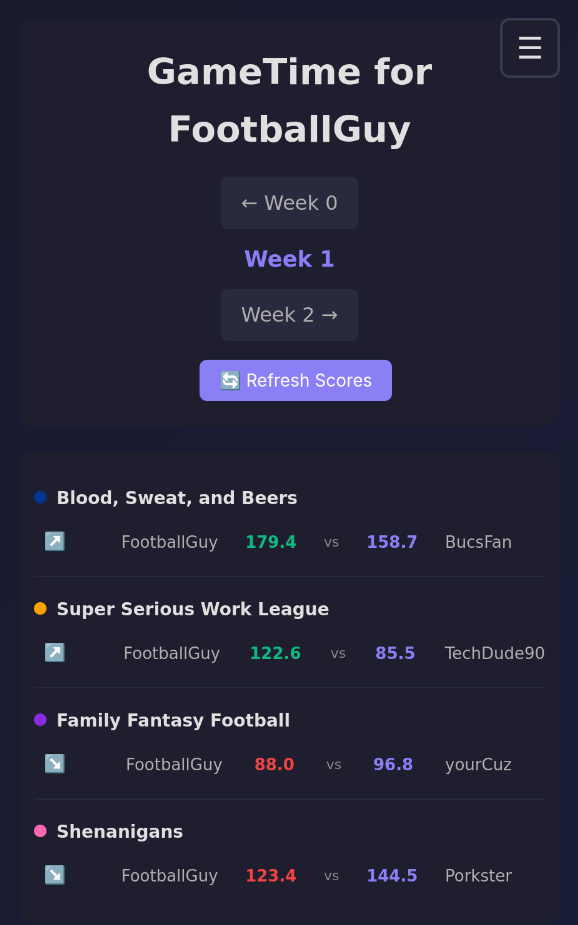
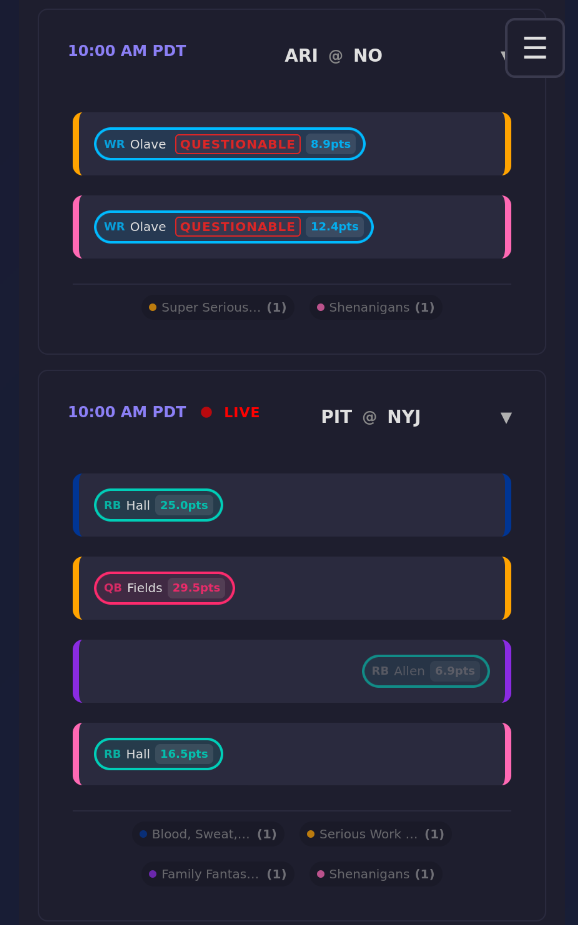
- Live Score Updates and Indicator - See matchup score, player score per league, and Live game indicator.
- NFL Schedule Integration - See when your players are playing. Benched players are right-aligned and greyed out.
- Dark/Light Theme - Switch themes for day or night viewing
- Mobile Responsive - Looks great on all devices
- Container Ready - Easy deployment with containers for self-hosting
Quick Start
Option 1: Local Development
# Install dependencies
pip install -r requirements.txt

# Run the app
python app.py

# Visit http://localhost:5000
Option 2: Docker
# Build and run
docker-compose up

# Or run detached
docker-compose up -d
How to Use
- Enter your Sleeper username on the homepage
- View your dashboard - see all leagues and current week matchups
- Navigate weeks - check past weeks or look ahead
- Theme switching - toggle between light and dark modes
Screenshots
Contributing
Want to contribute?
- Fork the repo
- Create a feature branch
- Make your changes
- Submit a pull request
License
This project is open source and available under the MIT License.